

Tools / Android app
BuiltWith: App & SDK Inspector
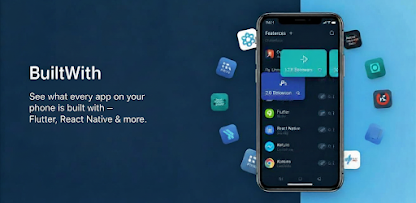
See which framework every installed app is built with
Find out which framework any Android app on your phone uses, from Flutter and React Native to Unity, and see the permissions it requests. 100% on-device.
01 / Why it exists
Know what every installed app is built with
BuiltWith looks inside each installed app for the fingerprints that frameworks leave behind, then lays out the permissions every app requests. It asks before the first scan, and every scan runs on your phone. BuiltWith has no internet permission, so your app list stays with you.
For Android developers curious about how other apps are built, and for anyone who wants to know which apps can use their camera, microphone or location.
Detects Flutter, React Native, Unity, Unreal Engine, Cocos2d, Xamarin / .NET MAUI, Titanium, NativeScript, Capacitor, PhoneGap, Cordova / Ionic, Kotlin Multiplatform, Compose Multiplatform and native Java/Kotlin.
A permission overview that highlights dangerous and special-access permissions across your device.
Browse apps by permission group, such as camera, microphone or location, and see which apps were granted each one.
App details: target SDK, install source (Play Store or sideloaded) and every permission the app requests.
Open any app straight from the list to check it yourself.
No internet permission, so your list of apps never leaves your phone.
03 / Try it yourself
Try BuiltWith.
Open the listing to learn more and install BuiltWith from Google Play.